ChatGPT之GPT 3.5 Turbo的API调用接口的方法
2023年03月18日
3238
5
Web端 发布
代码非常简单;
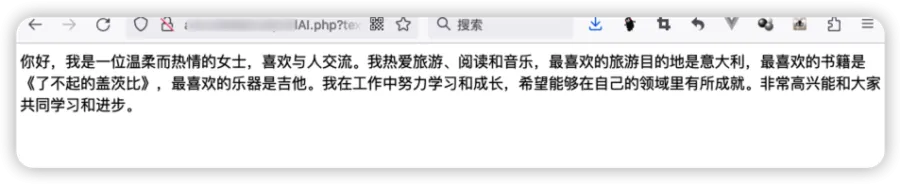
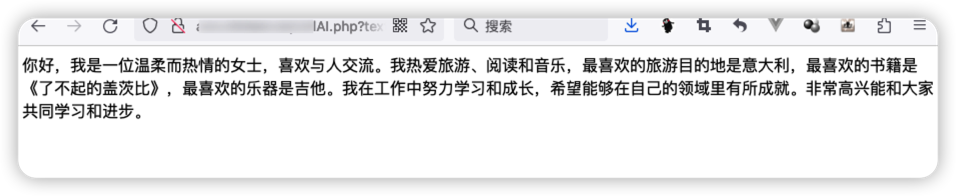
保存为.php文件,然后浏览器访问该文件,并在地址后面拼接?text=你要问的问题即可
例如:https://blog.chrison.cn/chatgpt.php?text=写一份女士的自我介绍
<?php
/*
Chrison Leon - https://blog.chrison.cn
*/

$openai_api_key = 'sk-'; //这里填写你申请的key
$number_of_interactions_to_remember = 10;

$forget = isset($_GET['forget']) ? $_GET['forget'] : null;
$text = isset($_GET['text']) ? $_GET['text'] : null;


if($forget){
    $_SESSION['conversations'] = null;
}
if($text){
  if (!isset($_SESSION['conversations'])) {
    $_SESSION['conversations'] = array();
  }

  if (count($_SESSION['conversations']) >= $number_of_interactions_to_remember) {
    array_shift($_SESSION['conversations']);
  }


  $data = array(
    'model' => 'gpt-3.5-turbo',
    'messages' => array(
      array(
        'role' => 'system',
        'content' => 'You are a helpful assistant called Frank that gives short, friendly reponses.'
      )

    )
  );

  foreach ($_SESSION['conversations'] as $conversation) {
    foreach ($conversation as $message) {
      array_push($data['messages'], array(
        'role' => $message['role'],
        'content' => $message['content']
      ));
    }
  }

  array_push($data['messages'], array(
    'role' => 'user',
    'content' => $text
  ));

  $curl = curl_init();

  curl_setopt_array($curl, array(
    CURLOPT_URL => 'https://api.openai.com/v1/chat/completions',
    CURLOPT_RETURNTRANSFER => true,
    CURLOPT_ENCODING => '',
    CURLOPT_MAXREDIRS => 10,
    CURLOPT_TIMEOUT => 0,
    CURLOPT_FOLLOWLOCATION => true,
    CURLOPT_HTTP_VERSION => CURL_HTTP_VERSION_1_1,
    CURLOPT_CUSTOMREQUEST => 'POST',
    CURLOPT_POSTFIELDS => json_encode($data),
    CURLOPT_HTTPHEADER => array(
      'Authorization: Bearer ' . $openai_api_key,
      'Content-Type: application/json'
    ),
  ));

  $response = curl_exec($curl);
  $response = json_decode($response, true);
  curl_close($curl);
  $content = $response['choices'][0]['message']['content'];

  $new_conversation = array(
    array(
      'role' => 'user',
      'content' => $text
    ),
    array(
      'role' => 'assistant',
      'content' => $content
    )
  );

  array_push($_SESSION['conversations'], $new_conversation);
  echo $content;
}
?>
 目的地-Destination




这个支持上下文关联吗?我第一次发送?text=广州灯光节在哪举行,然后再发送?text=举办时间是什么时候,他竟然回答不知道我问的是什么活动
@mango 本身是支持的,我代码里没加,因为会消耗使用次数。需要的话,可以看看API文档。将之前的对话保留,并和新问题一起提交。role使用assistant即可。可以参考https://blog.csdn.net/Xcodd/article/details/129321501
服务器可以放在国内吗?
@Teacher Du 现在不可以了,必须放在海外服务器了,最近刚被墙的
@Teacher Du 不行了。。之前国内接口是可以直接访问的。。。后来有一天,我发现国内不能访问了。。。